Auto-Hunting Upbit & Bithumb Listing Pumps with the DataMaxi+ Listing WebSocket
The alpha in KRW listing pumps is speed. Build your own 30-line KRW-listing alpha hunter on the DataMaxi+ Listing WebSocket.
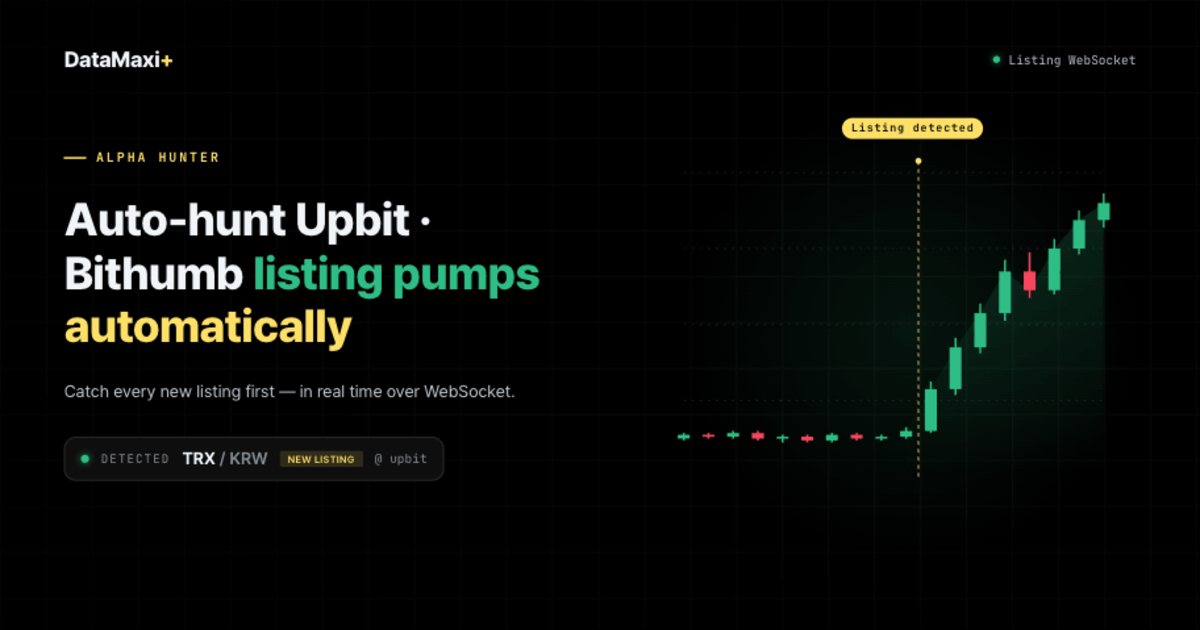
When a new coin lists on a KRW market on Upbit or Bithumb, the price jumps. Everyone knows this happens — but actually catching it is hard. A pump can be over in tens of seconds to a few minutes, and human hands are simply too slow.
So instead of a human, you want a bot that watches for the listing moment 24/7 — an alpha hunter. The good news: building one is far easier than it sounds. With the DataMaxi+ Listing WebSocket, the core logic fits in about 30 lines of code.
This post covers two things. A short look at why KRW listings create pumps, and then — the bulk of it — how to write that alpha hunter yourself. The key is simple: receive the listing announcement faster than anyone else.
1. Why do KRW listings pump?
Three points are enough.
① A closed market. Because of capital controls and KYC, Korea's KRW market is walled off from the global market. Arbitrage can't flow freely, so the KRW price diverges upward easily.
② Demand that opens all at once. A new KRW listing is the moment a coin becomes available to millions of Korean retail traders at once. A huge buy channel suddenly attaches to a token they couldn't buy seconds earlier. On top of that, deposits are often disabled in the first hours of a listing, so sell-side supply is thin — even small buys move the price a lot.
③ A race on speed. So the alpha comes not from fancy indicators but from timing. Whoever detects the listing announcement first wins. Ultimately this is a data-pipeline problem.
The point: structure creates the pump; speed catches it.
2. The alpha hunter's eyes — receiving announcements over the Listing WebSocket
DataMaxi+ streams Upbit and Bithumb listing announcements in real time over WebSocket. Faster than polling, you get the announcement the instant it drops. This is the alpha hunter's eyes and heart — and honestly, it's all you need.
The connection details are simple.
- URL:
wss://api.datamaxiplus.com/ws/v1/announcement/listing - Auth: header
X-DTMX-APIKEY: your_api_key - Subscribe: send
{"method": "SUBSCRIBE", "id": 1} - Listing-event response fields:
e— exchange (upbit / bithumb)b— listed coin (e.g. TRX)q— market (e.g. KRW)u— announcement page URLd— detection time (UNIX milliseconds)
The full code is all of this:
import json
import websocket  # pip install websocket-client

API_KEY = "YOUR_API_KEY"  # get one at https://datamaxiplus.com/auth
URL = "wss://api.datamaxiplus.com/ws/v1/announcement/listing"


def on_open(ws):
    ws.send(json.dumps({"method": "SUBSCRIBE", "id": 1}))
    print("Subscribed to the listing-announcement stream")


def on_message(ws, message):
    data = json.loads(message)

    # Ignore the subscribe ack ({"id": 1}); handle only real listing events
    if "b" not in data:
        return

    exchange = data["e"]   # exchange
    coin = data["b"]       # listed coin
    quote = data["q"]      # market (KRW)
    print(f"🚨 New listing: {coin}/{quote} @ {exchange}")

    on_listing(exchange, coin, quote)


def on_listing(exchange, coin, quote):
    # Buy here (see section 3)
    pass


ws = websocket.WebSocketApp(
    URL,
    header={"X-DTMX-APIKEY": API_KEY},
    on_open=on_open,
    on_message=on_message,
)
ws.run_forever()
That's it. Now on_listing fires on every listing moment. The alpha hunter's eyes are done. All that's left is "once you've spotted the prey, how do you trade it?"
3. The hunt — trading on the signal
When a listing event arrives, you buy via the exchange API. Order execution lives behind your own exchange keys, so you only need to fill in the entry point.
def on_listing(exchange, coin, quote):
    # 1. Buy (swap in your own exchange SDK)
    print(f"Entering: {coin}")
    # order = exchange_client.market_buy(coin, amount=BET_SIZE)

    # 2. Exit (pumps cool fast — get out quickly)
    #    e.g. sell on a profit target or after N seconds
    # exchange_client.market_sell(coin, ...)
Just remember two principles.
- Bet small. Order books are thin in the first minutes, so slippage is large. Risk only a fraction of capital per event.
- Exit fast. Pumps don't last. Your exit rule matters more than your entry. Sell mechanically on a profit target or a clock (e.g. a few minutes after entry).
Your strategy choice is simple too. If the coin already trades on a global exchange, target the front-run pump on the global venue right after the announcement; if not, target the Upbit trading-open moment. The latter is a fierce bot race, so the former is more realistic for retail.
4. Make it easier with AI
The most practical use of AI here is to let it write the system for you. Hand the WebSocket docs above and this post to a coding agent like Claude or Cursor and say "build me a bot that detects listings on this stream and buys" — and it will generate most of the section-3 code automatically. You only tweak the exchange integration and the bet/exit parameters.
Take it one step further and you can feed the u (announcement URL) contents of a listing event to an LLM and have it read things like "are deposits restricted?" or "trading-open time" automatically. The more deposits are locked, the more supply is trapped and the stronger the pump — so use that to size your bet. Just remember LLM calls are slow: keep the entry-critical path lightweight and use AI only as an assist.
Wrapping up
The alpha in KRW listing pumps isn't a secret indicator — it's speed. It's a race over who receives the announcement first, and the DataMaxi+ Listing WebSocket solves exactly that. Thirty lines of code and your own KRW-listing alpha hunter is live. What comes after is simple — buy small, exit fast.
To be honest: this is high-risk territory. Pumps cool fast and slippage is large. The code above is a runnable starting point, not a finished product. Validate it at small size yourself before scaling up.
Get an API key: datamaxiplus.com/my/maxi · WebSocket docs: docs.datamaxiplus.com
- crypto
- listing
- upbit
- bithumb
- alpha
- websocket
- korea
- trading-bot