The new DataMaxi+: market data your AI agent can trade on
We rebuilt DataMaxi+ for the way people trade now: with AI agents. An MCP server with 59 tools, pay-per-call pricing from one balance, and dashboards and strategies that come with agent prompts.
DataMaxi+ started as a screen for people: a terminal where you watched the kimchi premium, funding rates and Korean listing notices, and then acted on them yourself.
The way people trade has changed. More and more of our users don't sit in front of a terminal. They ask Claude, ChatGPT or Cursor to watch the market, scan for gaps, write the bot and test the idea. The bottleneck is no longer the chart. It is getting clean, trustworthy market data into the agent.
So we rebuilt DataMaxi+ around that. Same data, same accounts, a new front door at datamaxiplus.com.
In one line: market data your AI agent can trade on. KRW premium, funding rates, open interest, liquidations, listings and wallet status across 17+ venues, over MCP, REST and WebSocket, paid per call from one balance.
1. Explore: start from a question, not a menu
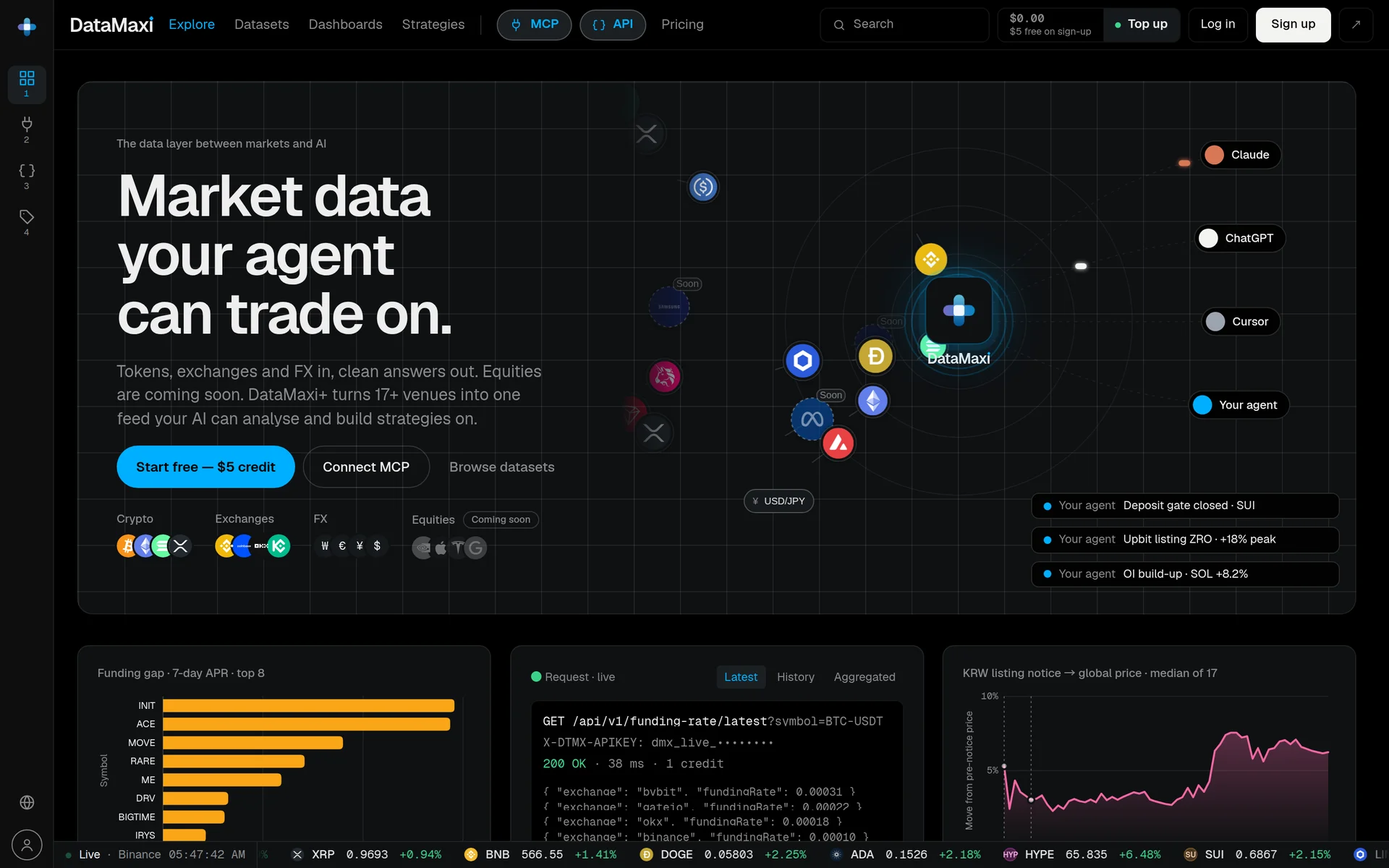
The home page now opens on what the data can do. You see live funding gaps, what a KRW listing notice did to the global price, and the exact API request behind each number. Everything on the page is computed from the same feeds the API and MCP serve, so what you see is what your agent gets.
From there the site splits into three ways in:
- Datasets: 10 datasets (premium, funding rate, open interest, liquidation, listings, wallet status, candles, index and forex, trend, margin and fees), each with coverage, fields and sample calls.
- Dashboards: 22 ready-made screens, from the Kimchi Premium Board to the Funding Gap Radar and Liquidation Pulse.
- Strategies: 15 strategy write-ups with the signal, entry and exit rules, the data they need and what that data costs per day.
2. MCP: your agent connects in a minute
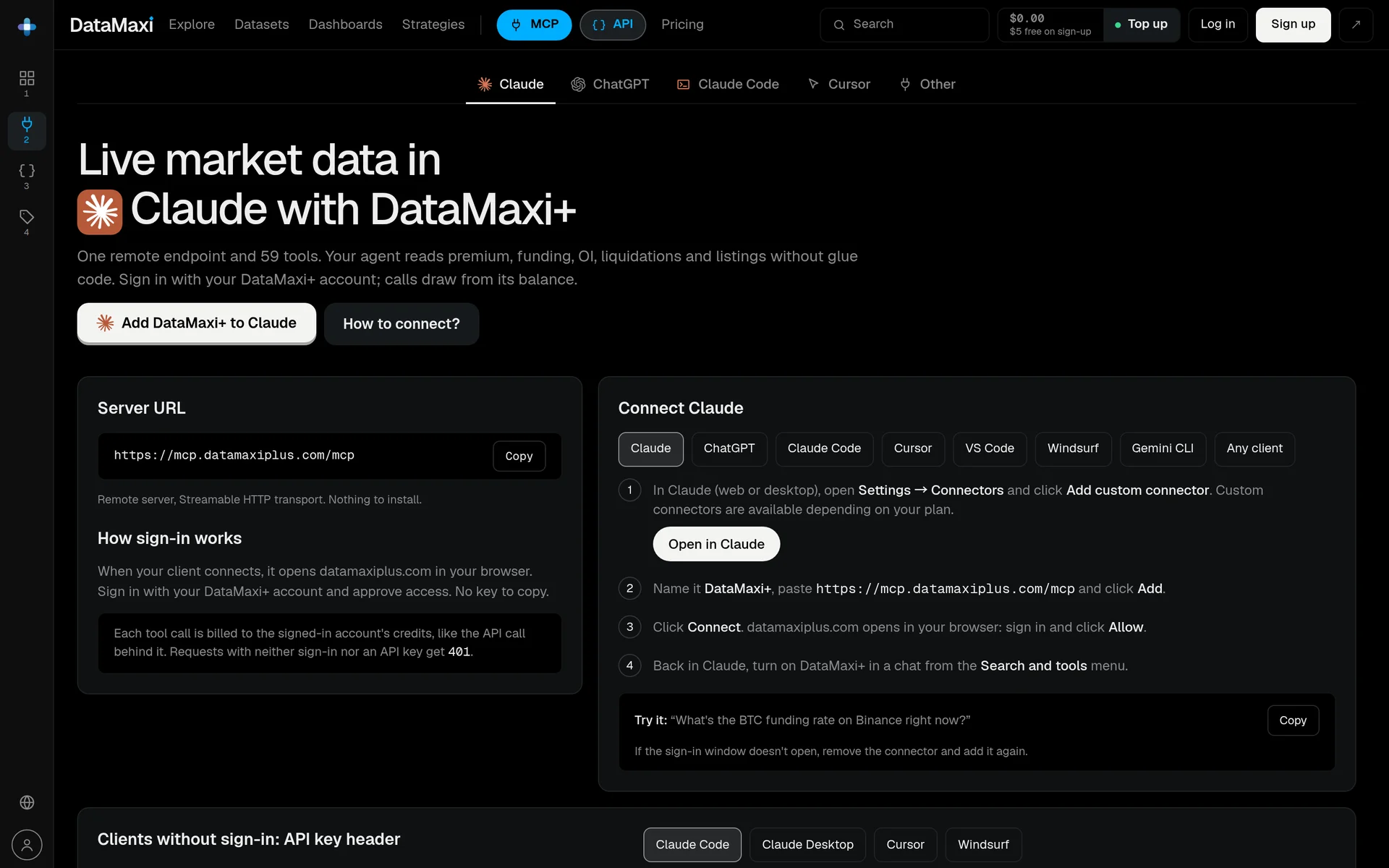
The biggest change is the DataMaxi+ MCP server. It is one remote endpoint with 59 tools, so your agent reads premium, funding, OI, liquidations and listings without any glue code.
- Server URL:
https://mcp.datamaxiplus.com/mcp(remote, nothing to install) - Sign-in: when your client connects, it opens datamaxiplus.com. Sign in with your DataMaxi+ account and approve. There is no key to copy.
- Clients: Claude, ChatGPT, Claude Code, Cursor, VS Code, Windsurf, Gemini CLI, or any client that speaks MCP. Clients without sign-in can send the
X-DTMX-APIKEYheader instead.
Once it is connected, just ask: "What's the BTC funding rate on Binance right now?" or "Which coins have the widest KRW premium, and are their deposits open?"
3. Every dashboard and strategy comes with a prompt
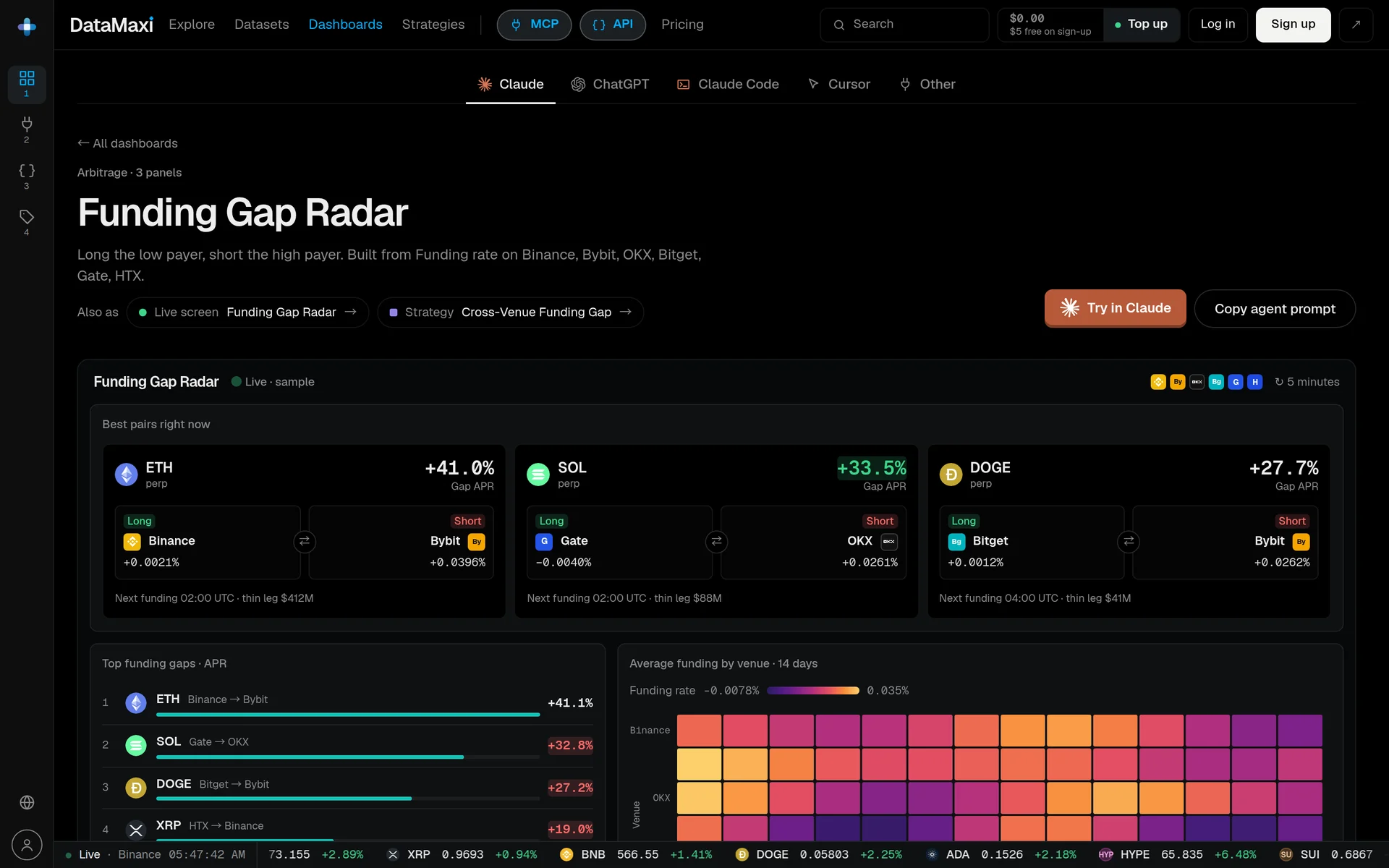
Each dashboard is something you can look at, and also something your agent can rebuild. Every page has Try in Claude and Copy agent prompt. The prompt lists the exact tools to call and the logic to apply, so your agent rebuilds the same view from live data and you can change it from there.
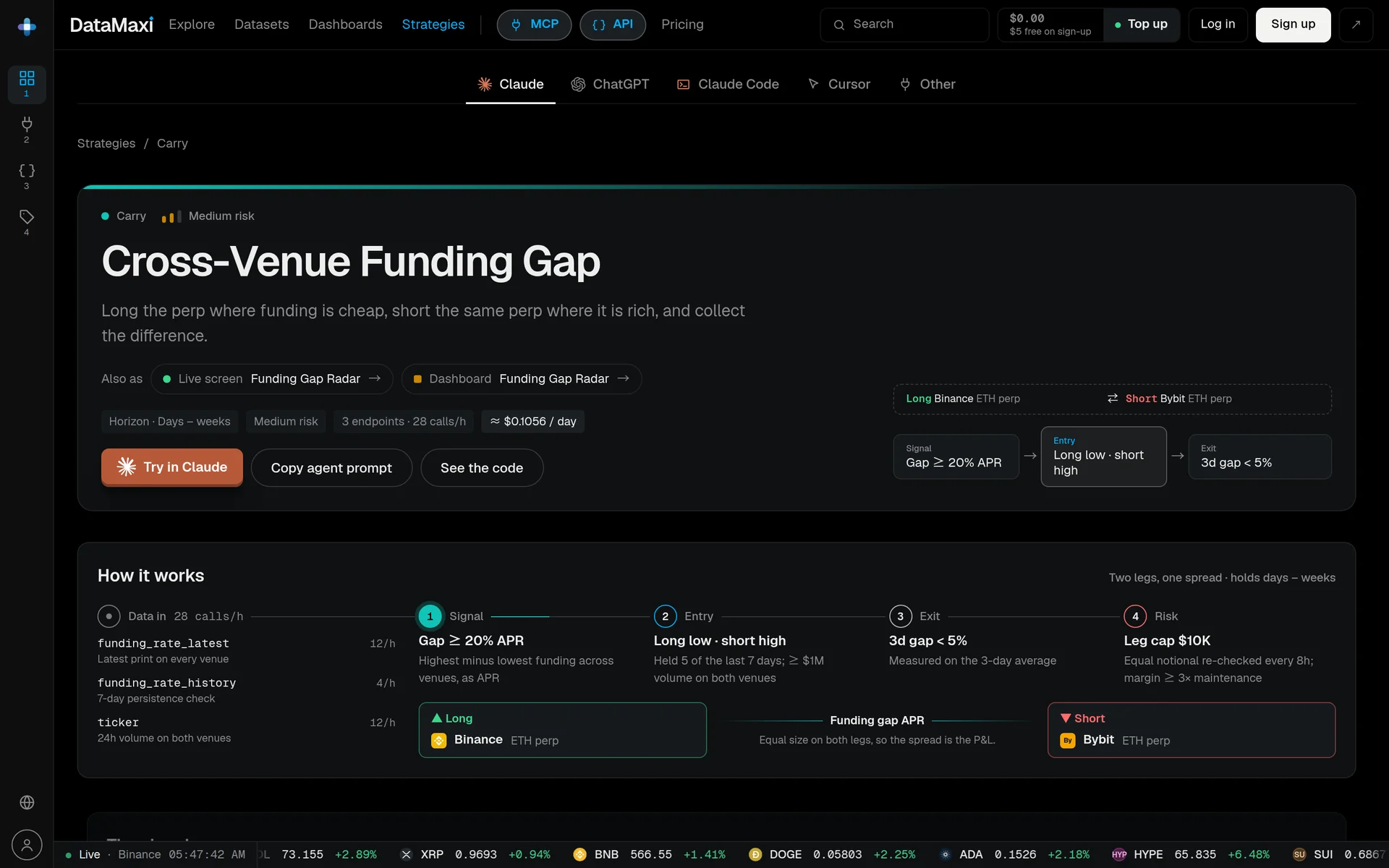
Strategy pages go one step further. Take Cross-Venue Funding Gap: the signal (gap of at least 20% APR), the entry (long the low payer, short the high payer), the exit (3-day gap under 5%), the risk limits, the data it needs (28 calls an hour) and its running cost (about $0.11 a day) are all on one page.
Backtest just by asking
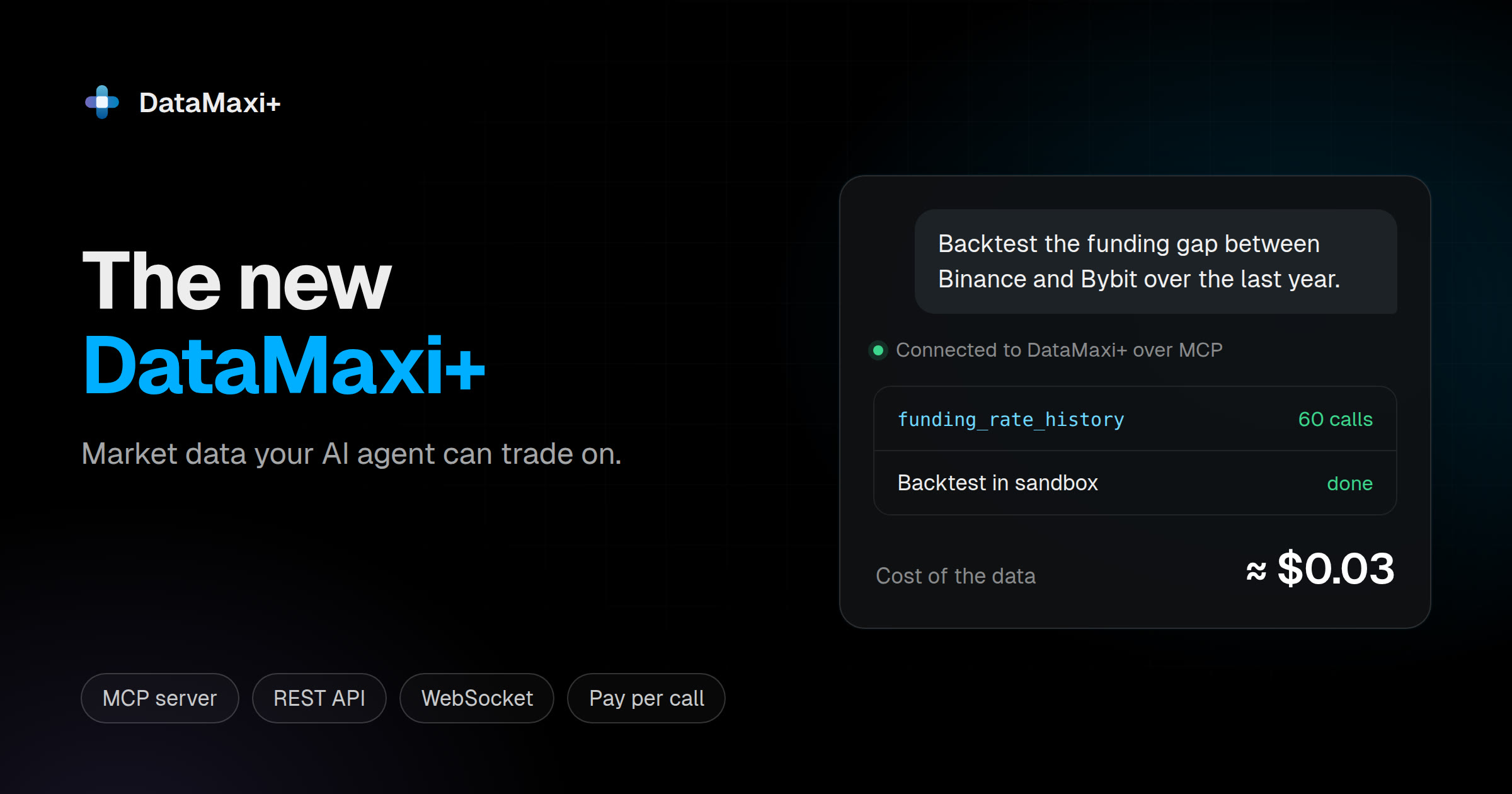
History is part of the API: funding prints, OHLCV from 2024, aggregated open interest, liquidation history and Upbit/Bithumb listings. Your agent pulls it over MCP and runs the test in its own code sandbox. A one-year daily funding backtest across five venues takes about 60 calls, roughly $0.03 of data. Every strategy page includes a ready backtest prompt with the calls it needs and what they cost.
4. Pay per call, from one balance
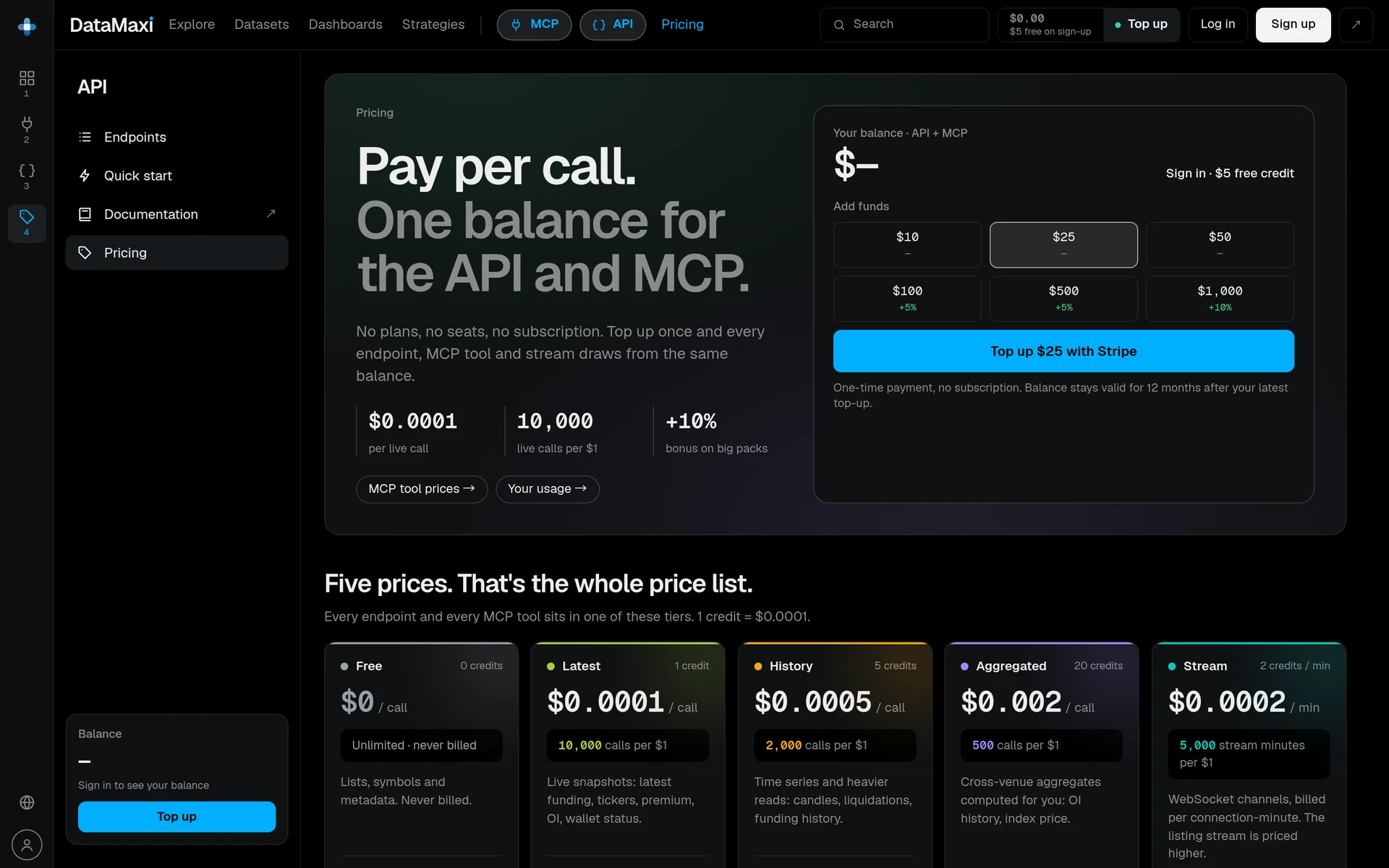
We dropped plans, seats and subscriptions. You top up once, and every REST endpoint, MCP tool and WebSocket stream draws from the same balance.
| Tier | Price | What's in it |
|---|---|---|
| Free | $0 / call | Lists, symbols and metadata |
| Latest | $0.0001 / call | Live snapshots: latest funding, tickers, premium, OI, wallet status |
| History | $0.0005 / call | Time series: candles, liquidations, funding history |
| Aggregated | $0.002 / call | Cross-venue aggregates: OI history, index prices |
| Stream | $0.0002 / minute | WebSocket channels, billed per connected minute |
- $5 of free credit when you sign up, enough for 50,000 live calls.
- Top-ups are one-time payments with Stripe, from $10, with a bonus of up to +10% on larger amounts. The balance stays valid for 12 months from your last top-up.
- When the balance runs out, the API answers
402, and your agent can create a top-up link itself with the freetopuptool.
5. What happens to my account and the old screens?
- Your account, balance and API keys carry over. Log in as before.
- The classic terminal is still there. Use "Open Classic UI" at the top of the site, or go to classic.datamaxiplus.com.
- Old links still work. Pages like
/funding-rateand/premiumredirect to their new homes. - This blog moved too. All earlier posts, including the 12-lecture arbitrage course, are here on the new Blog.
6. Get started in three steps
- Sign up and get $5 of free credit.
- Connect the MCP server to Claude, ChatGPT or Cursor, or grab an API key from the Quick start.
- Open a dashboard or strategy, copy its prompt and ask your agent.
Want the market in your inbox? DataMaxi+ Weekly sends funding, Korea premium and listings in three minutes every Monday, starting December 7.
Questions, data requests or bug reports are always welcome through Contact, or ask your agent to use the contact_datamaxi tool. A person on our team will reply.
This post introduces a product and is not investment advice. Strategy figures are examples, not forecasts.
- datamaxi
- announcement
- product
- mcp
- api
- ai-agent